Search
Search allows you to search for identifying aspects of class files, such as constant pool values and class members.
The search tab can be opened like any unscoped tab, using Analysis -> Search or by pressing Ctrl+Shift+F.
There are three search modes, selectable in the dropdown menu:
- Partial match (case-sensitive)
- Exact match (case-sensitive)
- Regular expression (RegEx pattern occurrences)
and a special mode, only available for fields and methods, Reference. As the name implies, it searches for references of members instead of their declarations.
Strings
Section titled “Strings”Strings are the default, most basic search option. This mode searches for string entries in the constant pool, equivalent to string literals in the Java language.
This mode does not search in all string-like entries in the constant pool, so it will never find member names/descriptors or the like, only actual strings. If you wish to search for those, use the pseudocode mode.
Pseudocode
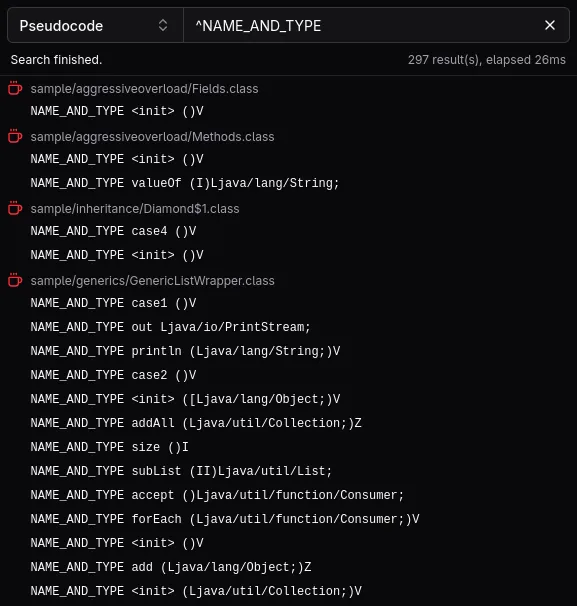
Section titled “Pseudocode”The pseudocode mode is useful for checking raw matches against the disassembled representation. It searches through all instructions and constant pool entries, useful for finding number literals, string literals, member references and more.
Commonly searched aspects and queries may look like this:
| Searching? | Mode | Query |
|---|---|---|
| All strings in the class file | Regular expression | ^STRING |
| All string-like entries in the class file | Regular expression | ^UTF8 |
| Reference to a specific class | Exact match/any | CLASS package/SearchedClass |
| Reference to a specific field | Exact match/any | NAME_AND_TYPE theField Lthe/Type; |
| Reference to a specific method | Exact match/any | NAME_AND_TYPE theMethod ()V |
A ldc instruction with a specific number | Exact match/any | ldc 123456789 |
A sipush instruction with a specific number | Exact match/any | sipush 1234 |
Members
Section titled “Members”Members are searched by their name and descriptor, delimited by a space: theField Lthe/Type; or theMethod ()V.
Commonly searched aspects and queries may look like this:
| Searching? | Mode | Query |
|---|---|---|
| Any field/method with a specific name | Regular expression | ^theField |
| Any method returning a specific type | Regular expression | )Lthe/Type;$ |
| Specific field | Exact match/any | theField Lthe/Type; |
| Specific method | Exact match/any | theMethod ()V |
Contextual search
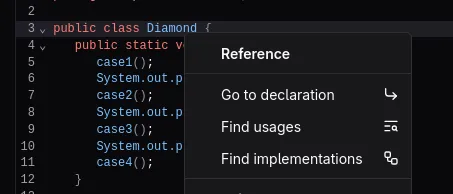
Section titled “Contextual search”slicer also allows you to search for references of a specific type in the context menu of the code view (Java-only for now).
This is useful for quickly finding references to a specific class without having to type the query in the search tab.
Finding usages
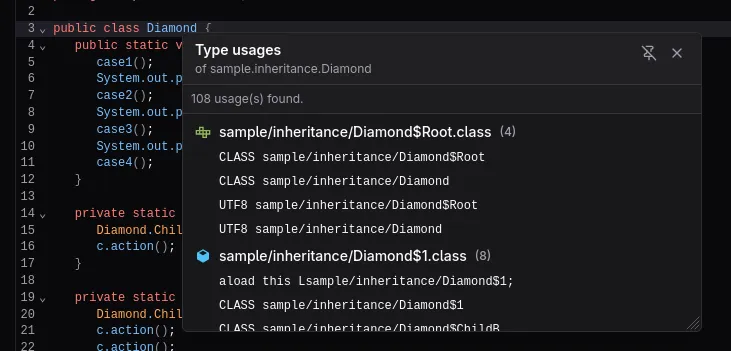
Section titled “Finding usages”If you want to find all references and declarations of a specific class, you can use the Find usages option in the context menu of the code view.
This is equivalent to searching for the class name in the search tab.
Finding implementations
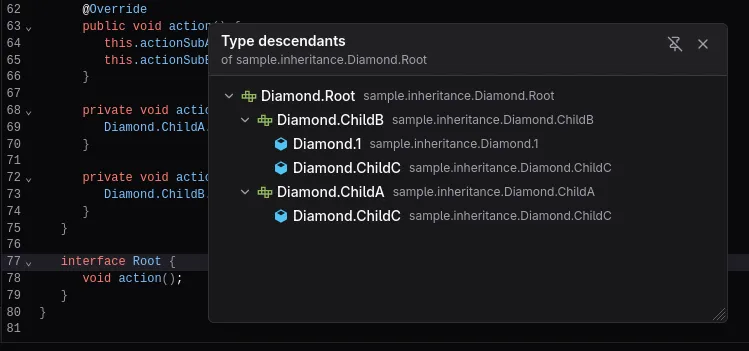
Section titled “Finding implementations”If you want to find all subtypes of a specific class or interface, you can use the Find implementations option in the context menu of the code view.
This is equivalent to viewing the inheritance graph of the class with subtypes enabled, minus the super types.